
- Seller
- Siam Fruit Export Co., Ltd.
- Buyer
- Kyoto Foods K.K.
- Terms
- FOB Laem Chabang
- Date
- 2 Oct 2026
| Item | Qty | USD |
|---|---|---|
| Dried mango 200 g | 4,800 bags | 14,400 |
| Dried mango 500 g | 1,200 bags | 7,800 |
Turn invoices and packing lists into customs declarations and a complete set of export documents.
| Item | Qty | USD |
|---|---|---|
| Dried mango 200 g | 4,800 bags | 14,400 |
| Dried mango 500 g | 1,200 bags | 7,800 |
Go ahead and try it. This screen simulates the system with sample data.
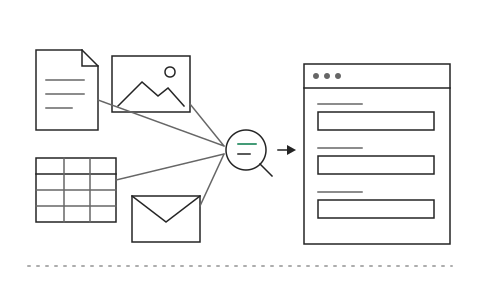
Reads documents from customers and suppliers in any format
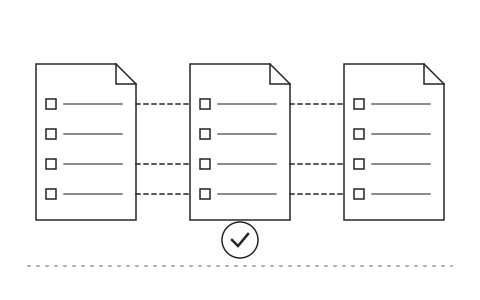
Checks consistency across the full document set
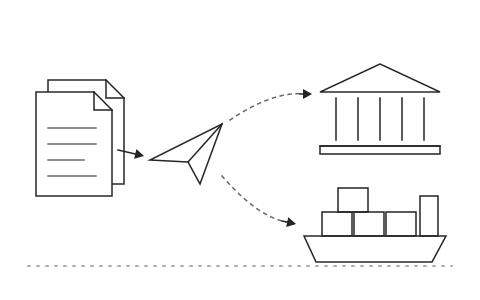
Forwards to your shipping agent or the customs system
Every shipment needs several export documents built from the same data. The team keys the invoice, packing list and customs declaration over and over, and when a single weight or quantity does not match, goods are held at port, extra charges follow and someone has to trace which document was wrong.
Khaojai IT's export document system uses AI to read trade documents from customers and suppliers in any format, including PDFs, emails and scans, then drafts the customs declaration and the full export document set from one source of data. The AI checks tariff codes and consistency across the whole set, such as net weight on the packing list against the invoice, and flags the items a person should review before forwarding to your shipping agent or the customs system.
In daily use, the export team spends far less time re-keying, the errors that hold goods at port are caught before filing and team leads see the document status of every shipment in one place. Khaojai IT adapts the system to your product types and destination countries and connects it to the ERP or shipping agent systems you already use.
No. The system drafts and checks, but your authorised staff or shipping agent always review and file. Items the AI is unsure about, such as tariff codes open to interpretation, are flagged for a person to decide.
Yes. The system sends data to your shipping agent or customs broker in a format ready for e-Customs filing, and takes order data from your ERP or SAP so nothing is keyed twice.
Documents are stored in your organisation's environment or a cloud you choose, with per-user access rights and a log of every change. Khaojai IT designs to PDPA guidelines and never uses your data to train external models.
It depends on product types and the number of destination countries, typically 2 to 4 months, starting with your main product group and most frequent trade lanes.
AI in this system
Describe the problem your organisation faces. Our team and AI will recommend the right software and help you think it through.