Documents and approvals ›

Approval Workflow

Design approval chains for any department yourself and see exactly who is holding each request.

Approval WorkflowSample data
PR-2569-04184 laptops for the sales teamSiriporn Thongdee Sales
Amount85,000baht
  1. RequesterSiriporn T.Submitted09:12
  2. Dept headThanakorn W.Reviewing
  3. FinanceMalee S.Queued
Waiting on Thanakorn W.

Go ahead and try it. This screen simulates the system with sample data.

Highlights

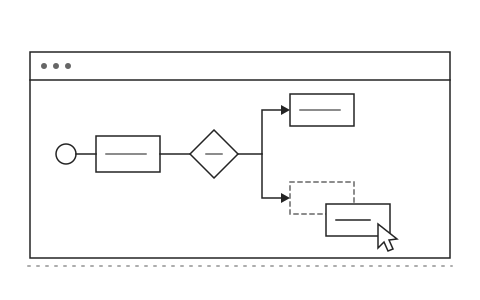
Drag and drop approval steps and set conditions by amount or department

Drag and drop approval steps and set conditions by amount or department

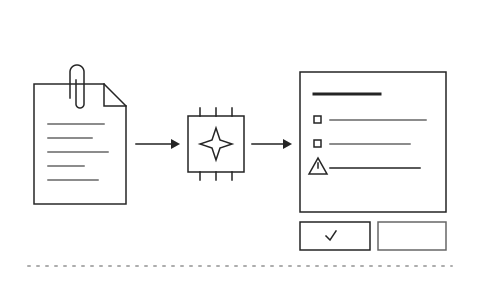
AI reads attachments, summarizes key points and flags policy issues before approval

AI reads attachments, summarizes key points and flags policy issues before approval

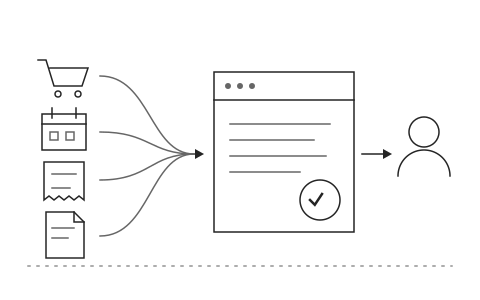
Works for purchase requests, leave requests, expense claims and every other document type

Works for purchase requests, leave requests, expense claims and every other document type

What Approval Workflow is and how it helps your organisation

Purchase requests, leave forms and expense claims still travel as paper or as email attachments. The requester cannot tell who is holding the request, approvers open multi page attachments to find the point, and when an executive is out of the office the whole chain waits with no idea when an answer will come.

Khaojai IT's e-Approval workflow lets each department drag and drop its own approval steps and set conditions by amount, department or document type. When a request arrives, the AI reads the attachments, summarises the key points so the approver finishes reading in well under a minute, and flags anything that may breach policy before the approve button is pressed. It works for purchase requests, leave, expense claims and every other document type.

After go-live, requests that used to sit for days move through the chain on a phone. Requesters see the status themselves instead of calling around, and auditors have a complete record of every step. Khaojai IT designs the workflows around your organisation's rules and connects the approval system to the ERP, HR or accounting systems you already run.

Questions buyers ask before starting

How long does implementation take

It depends on the number of document types and approval chains. Typically 1 to 3 months, starting with one document type such as purchase requests, after which other departments can add their own workflows.

Can it connect to the ERP or accounting system we already use

Yes. Once a request is fully approved the system posts the data to SAP, Express or another accounting system through an API, and it can notify people by email, LINE or Microsoft Teams.

Does the AI approve requests instead of people

No. The AI only summarises the request and points out what to check. Every approval step stays with the authorised person in the chain, and the system records who approved what and when.

Can we start small with a single department

Yes. Many organisations start with purchasing or HR. Once the team is comfortable, other departments build their own approval chains without waiting for developers.

AI in this system

AI summarizes each request so approvers can read it in 10 seconds.

  1. 01Summarize requestsCondenses each request and its attachments into a few lines for approvers.
  2. 02Check against policyCompares requests with company policy and flags possible violations.
  3. 03Compare with past requestsShows how a request differs from similar ones approved before.
  4. 04Flag stalled requestsPoints out overdue requests and who is currently holding them.

Works with the systems you already use

LINEMicrosoft 365Google WorkspaceSAPExcelExisting systems through APIs

Questions about Approval Workflow?
Tell us about it

Describe the problem your organisation faces. Our team and AI will recommend the right software and help you think it through.