Documents and approvals ›

Document Management

Store every document in one place, search by asking questions and set fine grained permissions.

Document ManagementSample data
Try
10 files
  • Q3 financial statements2 Oct 26
  • Expense policy 202615 Jan 26
  • Thai Network quotation28 Sep 26
  • Vendor register30 Sep 26
  • Employee handbook v51 Jun 26
  • Leave policy1 Jun 26
  • Payroll 202625 Sep 26
  • Sathorn office lease1 Apr 24
  • System maintenance contract1 Feb 26
  • Purchase request form10 Jan 26

Go ahead and try it. This screen simulates the system with sample data.

Highlights

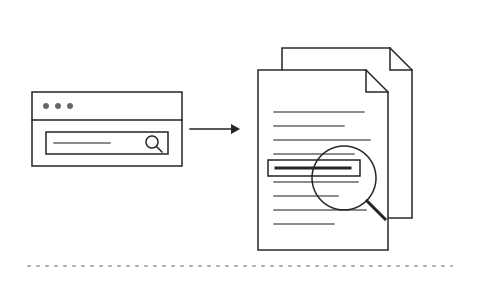
Search inside documents, not just file names

Search inside documents, not just file names

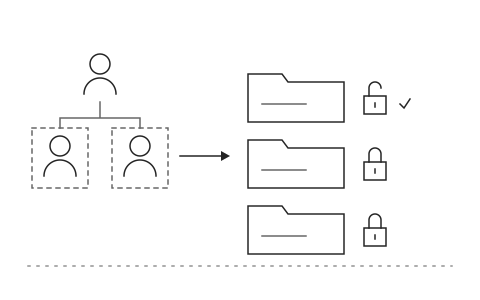
Set permissions by department and position

Set permissions by department and position

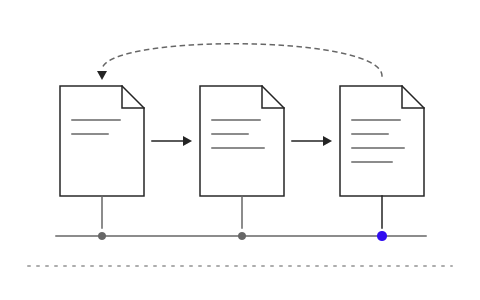
Keep the history of every version

Keep the history of every version

What Document Management is and how it helps your organisation

Company documents tend to live in email, personal drives and each department's shared folders. When someone needs the latest version of a contract or a report from two years ago, they ask around and open files one by one, and often find several versions with no way to tell which one is current.

Khaojai IT's e-Document management system brings every document into one place. When a file is uploaded the AI categorises and tags it, and people search the content inside the file rather than just its name. They can ask in plain Thai, for example which lease contracts expire this year, and get an answer with the source documents cited. Permissions follow department and position, and every version is kept.

In daily use, staff find a document in seconds instead of walking between desks. Management knows everyone is working from the current version and auditors can trace the full history. Khaojai IT designs the category structure and permissions around your organisation chart and connects the document system to the drives and business systems you already use.

Questions buyers ask before starting

Can we migrate existing files from Google Drive, SharePoint or a file server

Yes. Our team imports your existing documents with their folder structure, and the AI categorises and tags them during import, so everything is searchable as soon as the migration is complete.

How reliable are the AI answers from our documents

Every answer shows the source document and the passage it is based on, so the user can open and verify it immediately. The AI only searches documents that the asking user is allowed to see.

How long does implementation take

It depends on document volume and the number of departments. Typically 2 to 3 months. You can start with a single department and expand to the whole organisation later.

Where is the data stored and is it PDPA compliant

You can run it on your own servers or on cloud infrastructure in Thailand. Data is encrypted, permissions are set per person and every access is logged, which supports PDPA compliance.

AI in this system

AI categorizes, tags and answers questions from your documents.

  1. 01Auto file documentsReads the content and picks the right category and folder on upload.
  2. 02Tag automaticallyPulls partners, projects and dates into tags for search and filtering.
  3. 03Answer from documentsAnswers questions and shows which document and page the answer came from.
  4. 04Respect permissionsAnswers only from documents the person asking is allowed to open.

Works with the systems you already use

LINEMicrosoft 365Google WorkspaceSAPExcelExisting systems through APIs

Questions about Document Management?
Tell us about it

Describe the problem your organisation faces. Our team and AI will recommend the right software and help you think it through.