AI Agent and knowledge ›

Employee AI Copilot

A personal assistant for every employee that drafts emails, summarizes documents and searches across systems.

Employee AI CopilotSample data
ToWipa, Thai Packing Co
SubjectThis month's batch is late
Hi Wipa, This month's batch still hasn't shown up and it's 5 days late now. Our plant is starting to wait on materials and the line might have to stop if it isn't here by Friday. Can you check what's holding it up and let me know a firm delivery date? Thanks Thanaphon

Go ahead and try it. This screen simulates the system with sample data.

Highlights

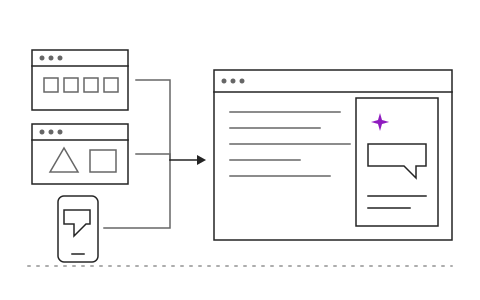
Works through Microsoft 365, Google Workspace or LINE

Works through Microsoft 365, Google Workspace or LINE

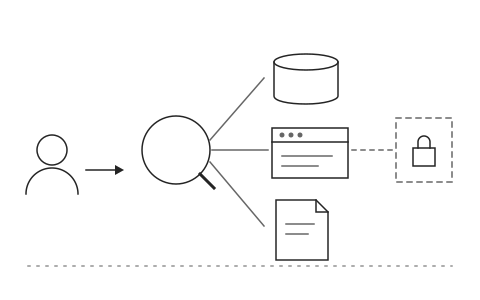
Searches every system the employee has access to

Searches every system the employee has access to

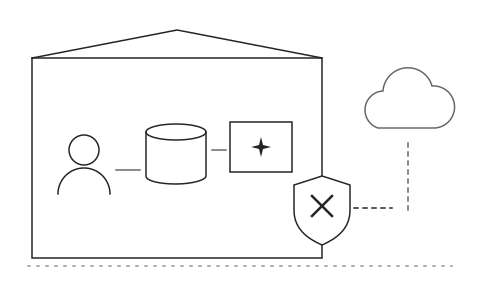
Data never leaves your organization

Data never leaves your organization

What Employee AI Copilot is and how it helps your organisation

Employees spend much of each day on repetitive paperwork: answering similar emails, reading long reports to find a few numbers, and opening several systems to look up a single customer. Some turn to public AI tools and paste internal data into them, a risk no organization wants.

The Employee AI Copilot lives inside the Microsoft 365, Google Workspace or LINE tools your staff already use. Employees ask it to draft an email, summarize a document or pull information from the CRM, ERP and shared drives in one place. The copilot sees only the data that employee is allowed to see, and everything is processed within the boundaries your organization sets, so data never leaves the organization.

Once the AI Copilot takes over daily paperwork, employees have more time for work that needs judgment, and the organization has a safe AI channel for everyone instead of external tools. Khaojai IT configures the copilot to match your systems and data policies, and connects it to the internal systems your staff actually use, one system at a time.

Questions buyers ask before starting

How is this different from the Copilot or Gemini bundled with our suite

This copilot connects to your internal systems such as CRM, ERP and databases that the standard tools cannot reach, and its workflows are tailored to your organization. It works alongside the tools you already have.

Is what employees type used to train AI models

No. Data is processed within the boundaries your organization defines and is not used to train public models. For sensitive data you can choose models hosted on your own infrastructure.

How long does implementation take

It depends on how many systems need connecting. Typically 6 to 12 weeks for a pilot group, followed by a phased rollout across the organization.

Do employees have to review what the AI drafts before sending

Yes. The copilot drafts and summarizes, but the employee reviews and sends every time. Each summary links back to its source documents for verification.

AI in this system

AI handles daily paperwork within each employee's own permissions.

  1. 01Drafts emails in contextReads the thread and drafts a reply in a tone that fits the recipient.
  2. 02Summarizes long documentsCuts reports or contracts of dozens of pages to a few key points.
  3. 03Searches systems in one questionCombines answers from files, chats and work systems the employee can open.
  4. 04Prepares your daySummarizes the day's meetings and open tasks first thing in the morning.

Works with the systems you already use

LINEMicrosoft 365Google WorkspaceSAPExcelExisting systems through APIs

Questions about Employee AI Copilot?
Tell us about it

Describe the problem your organisation faces. Our team and AI will recommend the right software and help you think it through.